
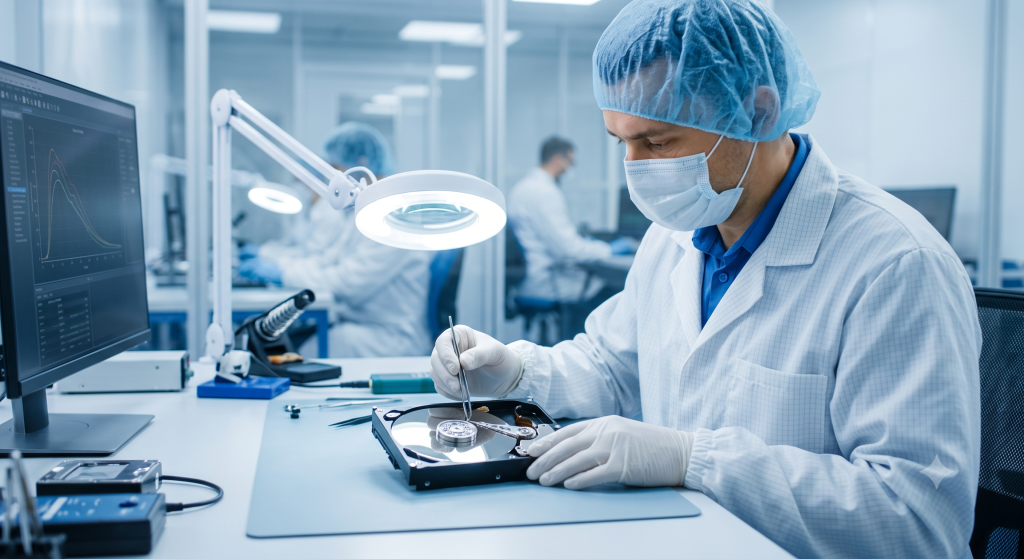
Recovering Data from a Clicking Hard Drive in Bangladesh
That sharp, rhythmic clicking sound from your computer is one of the most stressful noises you can hear. It often means your storage drive is failing. For computer users in Bangladesh, this situation requires quick action to save files. If you find yourself in this spot, know that recovering data from a clicking hard drive in Bangladesh is possible, but it must be handled correctly. A clicking drive is not a simple software issue; it is a mechanical failure.
Understanding the Clicking Hard Drive Phenomenon
The clicking sound you hear is the sound of internal failure. Inside your hard drive, a read/write head moves across the platters to access your data. If this head cannot find the right track or gets stuck, it hits a mechanical stop. This causes the audible click. The drive then tries to reset and tries again, which creates that constant, repeating sound.
Do not try to fix this at home. Trying to restart the computer or shaking the drive to make it work is dangerous. Powering on a failing drive for even a few minutes can cause the head to scratch the surface of the platters. Once those platters are scratched, the data is often lost for good.
You might notice warning signs before the drive starts to click. Perhaps your system became very slow, or some files refused to open. If your computer takes a long time to boot or shows constant “read errors,” treat these as major warnings. A clicking drive is the final stage before total failure.
Data Recovery Options for a Clicking Drive
You cannot fix a clicking drive with standard software. When the hardware inside is damaged, it needs a special environment. In Bangladesh, you must look for professional data recovery services that use a cleanroom.
A cleanroom is a controlled space with air filters that remove almost all dust. Even a tiny piece of dust can destroy the platters inside an open drive. General computer repair shops in Dhaka, Chittagong, or other cities do not have these tools. They are good for fixing software issues or replacing parts like screens, but they are not equipped for mechanical drive failure.
When you look for a service provider, check their reputation. Look for companies with clear pricing and positive reviews from other customers. A professional company will explain their process before starting. They will diagnose the drive, tell you what is recoverable, and provide a price quote.
Assessing the Likelihood of Success
Not every drive can be saved. Success depends on the damage. If the read/write head is broken but the platters are intact, the chances are high. If the platters are physically damaged or deeply scratched, recovery becomes very hard.
The length of time you let the drive click also matters. If you stop the drive the moment it starts clicking, the odds of recovery are much better. If you kept the computer running for hours, the damage is likely worse.
The type of data does not change the mechanics of recovery, but it changes the priority. Business documents, financial records, and personal photos are often worth the cost of professional service. Be realistic. If the data is not worth the expense of a professional cleanroom service, you may have to accept the loss.
Steps to Take Immediately After a Clicking Drive is Detected
The first thing to do is stop the drive. Power off your computer immediately. Do not try to run a “chkdsk” or other repair tools. These tools put more stress on the drive and can lead to more data loss.
Never open the drive casing. It might be tempting to open the drive to see what is wrong, but this is a massive mistake. Opening the hard drive casing exposes the sensitive platters to dust and humidity. This will almost certainly destroy any chance of recovery.
Secure the drive physically. Place it in a safe container so it does not get dropped or exposed to heat or liquid. If you need to ship it to a recovery expert, wrap it in anti-static material and bubble wrap to prevent shock during transit.
Document the problem clearly. Write down exactly when the clicking started. Mention if you heard any other noises before the click. Note the make, model, and serial number of the drive. Giving this information to the technician helps them prepare the right tools for your specific model.
Costs and Considerations for Data Recovery in Bangladesh
Professional data recovery is not cheap. The cost covers the labor, the cleanroom environment, and the specialized parts needed for your drive. Prices in Bangladesh vary based on the complexity of the damage.
Some services offer a “no data, no fee” policy. This is the best type of service to look for. It ensures you only pay if they actually recover your files. Be wary of shops that ask for a large upfront fee without a diagnosis.
Compare quotes from a few reputable centers. A very low price should be a red flag. Professional, high-quality work takes time and expensive equipment. If a price seems too good to be true, it likely is. Ask about hidden fees, such as costs for the media to return your data or fees for emergency service.
Recovering Specific Data Types
Personal files, like family photos and videos, are often the most important to recover. These items cannot be replaced. If you face a clicking drive, treat it as a high-priority situation.
For business, the stakes are even higher. Client lists, databases, and accounting files are needed for daily operations. If you run a business, you likely know the cost of downtime. Investing in professional data recovery is often essential to keep the business running.
Keep in mind that data retention laws may apply to your business. If your drive contained sensitive client information, discuss privacy and security with the recovery service. A professional company will have protocols to protect your information during the recovery process.
The Future of Data Recovery and Prevention
Hard drive technology continues to improve, but mechanical failures will always exist. Technicians now use more advanced software to map out healthy areas of damaged platters. This helps them get more data back, even from drives that seem dead.
SSDs are also becoming common. SSDs do not click because they have no moving parts. However, they still fail, and their failure is often harder to fix than an HDD.
Backups are the only sure way to protect your data. Use a cloud service for important files and an external hard drive for full system backups. If you have a backup, a clicking hard drive is just a minor annoyance instead of a major disaster.
Use software to check your drive’s health regularly. Many free tools can monitor the S.M.A.R.T. data on your drive. These tools alert you if the drive reports early errors. If you see a warning, stop using the drive and replace it before it starts clicking.
Conclusion
A clicking hard drive is an alarming event for any user. It signals a physical failure that needs immediate, expert attention. In Bangladesh, you have access to professional services that can recover data from these drives if you act the right way.
Do not attempt a DIY fix. Power down the drive immediately to prevent further damage. Find a reputable professional with cleanroom capabilities. Finally, take steps to ensure this does not happen again by keeping consistent backups of your data. While the sound of a clicking drive is stressful, quick and informed action provides the best chance to recover your essential files.
